📢 MPWA WHMCS WhatsApp Notifications Integration Guide
Managing client communication efficiently is a cornerstone of any successful business. With the MPWA WHMCS WhatsApp Notification addon, you can instantly connect with your clients via WhatsApp and keep them updated about every critical event in your WHMCS system.
✨ Key Features
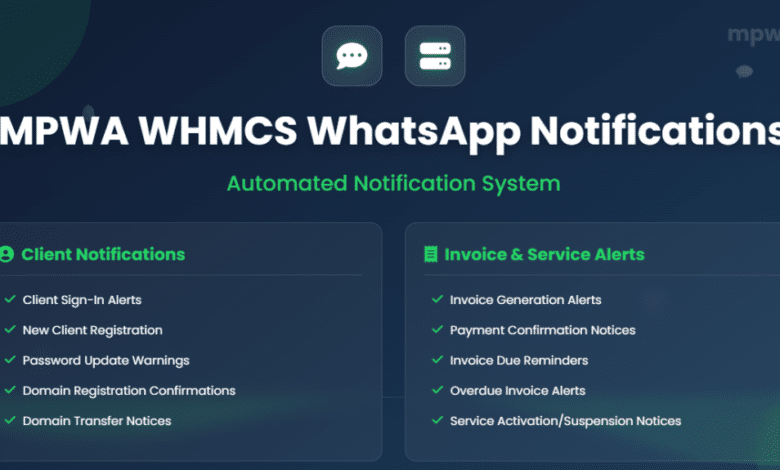
With this addon, you can send real-time WhatsApp notifications for a wide range of actions, including:
- 🔑 Client Sign-In Notice
- 📝 New Client Registration Alert
- 🔒 Client Password Update Warning
- ⚙️ Customizable Message Templates
- 🧾 Invoice Generation Alert
- 💳 Payment Confirmation Notice
- ⏰ Invoice Due Reminder
- 🚨 Overdue Invoice Alerts (First, Second, and Final)
- ✅ Service Activation Notice
- ⏸️ Service Suspension Alert
- 🔄 Service Reactivation Notice
- 🗑️ Service Termination Warning
- 🔑 Service Password Modification Alert
- ❌ Cancellation Request Update
- 🌐 Domain Registration Confirmation
- 🔁 Domain Transfer Notice
- 🔔 Domain Renewal Reminder
- 📅 Domain Overdue Alerts (1st, 2nd, and 3rd Tier)
- 🎟️ Support Ticket Reply via WhatsApp
- 👤 Personalized Messages using the registered WHMCS phone number
🛠️ Easy Installation Guide
Follow these simple steps to get started:
🔹 Step 1: Create Your MPWA Account
- Go to mpwa.to and sign up.
🔹 Step 2: Add Your Device
- From the Dashboard, click Add New Device.
- Enter your WhatsApp phone number.
🔹 Step 3: Pair Your Device
- Scan the QR code displayed on the screen to link your WhatsApp.
🔹 Step 4: Upload the Addon:
- Upload the addon files to your WHMCS server under:
/modules/addons
🔹 Step 5: Activate the Addon
- From the WHMCS backend, go to:
Settings → Apps & Integration OR Addon Modules. - Activate MPWA WHMCS Module.
🔹 Step 6: Assign Administrator Rights
- Assign Full Administrator rights for the module.
🔹 Step 7: Configure API Settings
- In WHMCS, go to:
Addons → MPWA WHMCS Module - Paste the following:
- API Key (from your mpwa.to account)
- Sender Phone Number (with country code, but without +)
Example:
201234567890
🔹 Step 8: Enjoy!
- That’s it! 🚀 Your WHMCS is now integrated with MPWA WhatsApp Notifications.
- Test by creating an invoice, updating a service, or sending a support ticket reply, and watch your WhatsApp light up with real-time alerts.
🎯 Final Thoughts
Integrating MPWA WhatsApp Notifications with WHMCS enhances client engagement, improves payment reminders, and ensures no important update is missed. With an easy setup and a wide range of supported alerts, this addon is a must-have for businesses running on WHMCS.